Context Item Type
A context item type is a template for a specific kind of event in your process. It defines the structure that all context items of that type share: which fields are available, whether a workflow governs the lifecycle, which features such as approvals and audit trail are active, and who has permission to create, edit, or delete items of that type.
Where a context item is a single record of an event, a context item type is the reusable definition that gives that record its shape.
Context item types are configured by an admin or created automatically when context items are synced in from an external system.
A workflow can be attached to a context item type to define the lifecycle of its items. It specifies the states a context item can move through, from a start state to an end state, with optional intermediate states. Attaching a workflow makes the type suitable for period context items that need to track progress over time.
A workflow is optional. Types without a workflow are used for instant context items or for period context items where lifecycle tracking is not needed.
One or more context fields can be linked to a type. Fields define which structured metadata is available when creating or editing a context item of that type. A field can be linked to multiple types, making it possible to reuse the same field across different categories.
Fields are configured independently of types. See Context fields for more information.
Approvals can be enabled per type. When enabled, context items of that type can be formally approved by a designated user. An approval serves as a sign-off that the content of the item has been reviewed and confirmed. Approvals are removed when an item is edited after approval.
An audit trail can be enabled per type. When enabled, every change made to a context item of that type is recorded in an immutable log. The log captures what changed, who made the change, and when. This is particularly relevant for regulated environments where traceability of changes is required.
Permissions are managed per type and control who can create, edit, or delete context items of that type. By default, when a type is created, the delete permission is assigned to all users. Permissions can be restricted to specific users to ensure only the right people can manage items of a given type.
Note
Before you start
A context item type defines the structure of a context item. Before you can create a type, you need to have the right building blocks in place.
Because a type depends on fields and workflows, configure them in this order:
Create or identify the context item fields you need.
Create or identify the workflow you need.
Create the context item type, attaching the relevant fields and workflow.
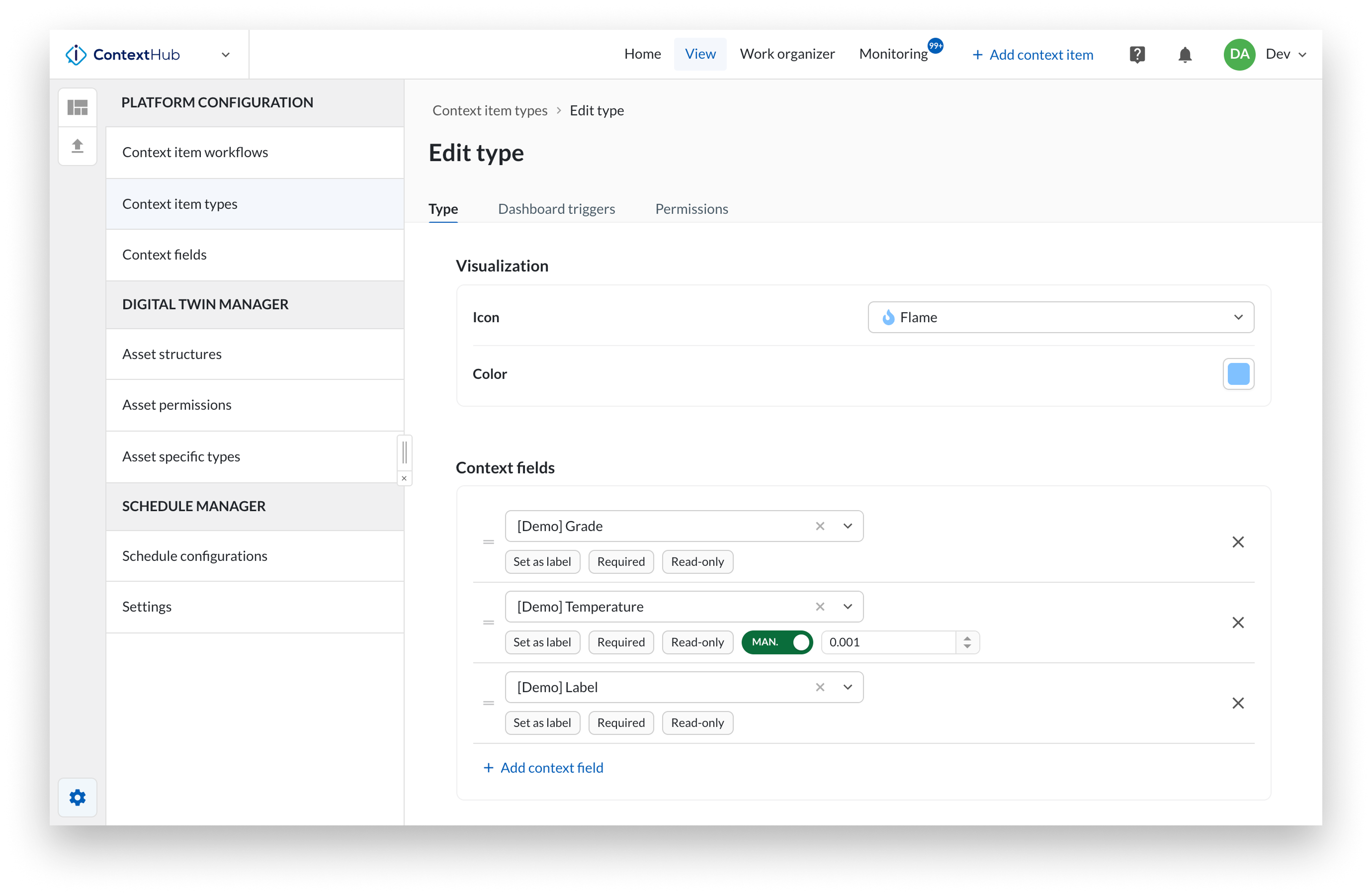
In ContextHub, open the configuration menu by clicking the gear icon.
Select Context item types from the list.
To create a new Context Item type, click Add item.
To edit an existing type, click the three-dot menu and select Configure type.
Enter a name and a technical identifier (optional).
The technical identifier is optional and is used in imports and API calls. It must contain at least 4 characters, must not start with a number, and must not contain spaces.
Optionally add a description.
A free-text field that describes what the type is used for. When filled in, it is displayed alongside the type name to help users understand the purpose of the type.
Optionally select a workflow.
The workflow that governs the lifecycle of context items of this type. When a workflow is selected, event context items move through a series of states from start to end.
When no workflow is selected, items have no states and are recorded as a single instant event.
Select an icon and color for the type.
They are used to identify the type visually in the interface.
Add one or more context fields.
Ordering Fields can be ordered by dragging them into the desired position. The order is reflected everywhere the context item is shown.
Required Mark a field as required to enforce that users fill it in before saving a context item of this type. By default, fields are not required.
Read-only Mark a field as read-only to allow it to be filled in during creation but prevent it from being edited afterward. By default, fields are not read-only.
Decimal precision (numeric fields only) Set the number of decimal places used to display the value across TrendMiner.
Set as label Mark a field to have its value displayed as a label on the context item in the chart and Gantt view. Only one field per type can be set as label.
Note
Required and read-only settings are not applied during a sync from an external system. The external system is treated as the master source, so synced items are not subject to these restrictions.
The required, read-only, and decimal precision settings apply only to this Context Item Type. If the same field is used on other types, those types are not affected.
Optionally enable approvals and audit trail.
Click Save.
Warning
A context item type cannot be deleted if it has existing context items linked to it.